

How to free up storage on your Android phone
Running out of space on Android does not require deleting your favorite apps. Use built-in archiving tools, cache controls, and media managers to reclaim storage.

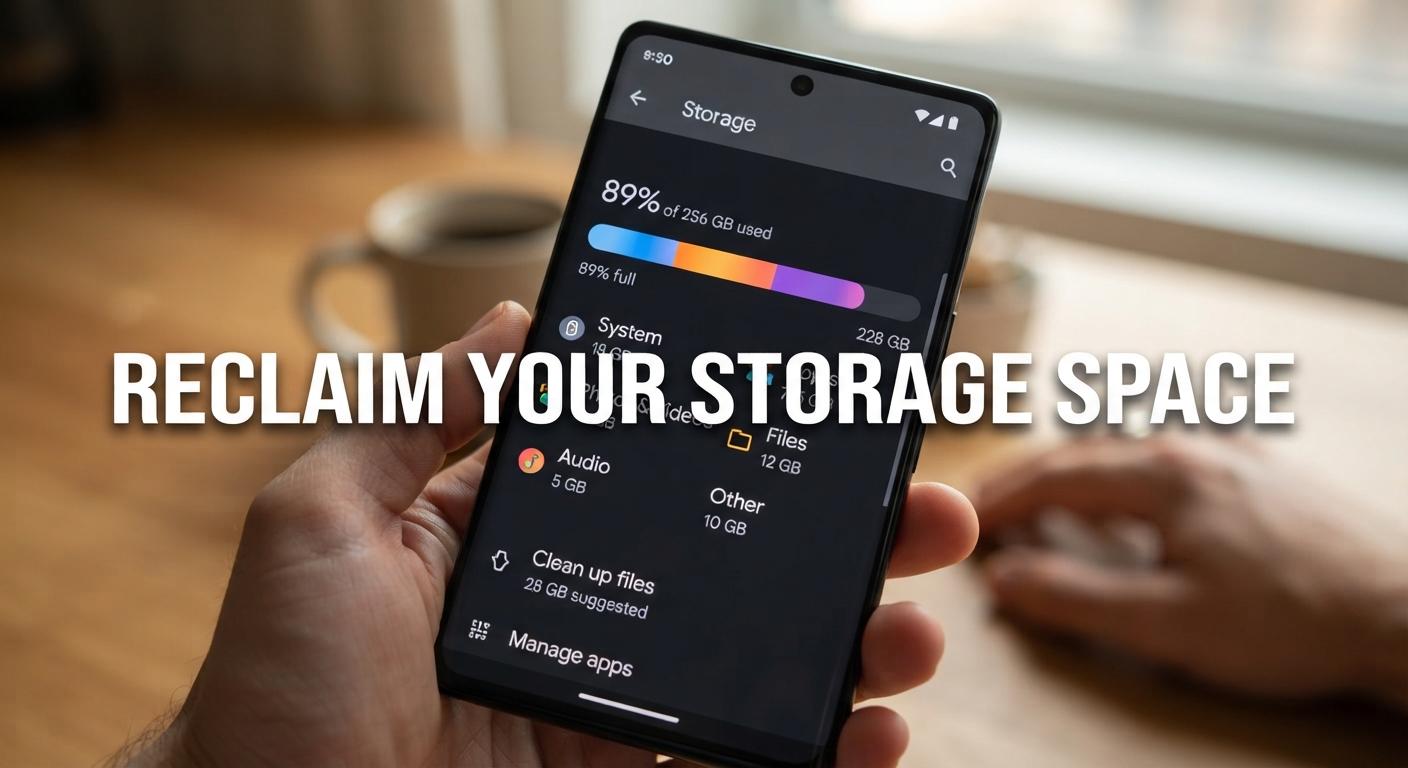
Closing background apps does not free up storage on an Android phone. Android separates internal storage, which holds files, photos, and apps, from memory (RAM), which runs active programs. Reclaiming space on a full phone requires removing files, clearing temporary caches, or archiving software.
Archive apps to reclaim installation space
Archiving frees storage without deleting your personal data or home screen shortcuts. According to the Android Developers Blog, archiving removes an app's primary installation package while retaining settings and accounts, reducing its storage footprint by roughly 60%.
Android 15 expanded this system on October 15, 2024, adding a manual Archive option in Settings under Apps. You can also automate the process through the Google Play Store. In Play Store Settings, open General and turn on Automatically archive apps. The store will archive unused applications whenever local storage runs low.
Clear cache instead of deleting app data
Android settings provide two options for app cleanup: Clear cache and Clear storage. Selecting Clear cache deletes temporary files without touching your logins or preferences. The app may take a moment longer to load on its next launch, but your settings remain intact.
Selecting Clear storage or Clear data is permanent. It wipes out all accounts, databases, and preferences associated with that app. Use Clear storage only if you intend to reconfigure the app from scratch.
Back up media and empty the trash folder
Photos and video clips usually consume the most internal space. The Google Photos app includes a Free up space on this device tool, which deletes local media files only after confirming they are backed up to cloud storage. Free Google accounts share 15 GB of cloud space across Photos, Google Drive, and Gmail.
Deleting files in utilities like Files by Google or Samsung My Files does not free space immediately. Android moves deleted items to a Trash folder, where they take up space for 30 days until the system purges them. Open the Trash folder and empty it to recover that room right away. Files by Google also identifies duplicate files, old downloads, and leftover APK installers.
Clean hidden files in messaging apps
Chat apps often store large media caches that do not appear in your main photo gallery. WhatsApp contains a built-in Manage storage tool in its settings. The tool highlights large video files and displays which conversations consume the most room, letting you remove heavy attachments without deleting your message history.
I’m a techie & gamer turned SEO strategist with a genuine passion for technology, AI, science, and gaming. I love exploring new technology, following the latest developments, and looking beyond the headlines to understand what is really happening. I write about the latest tech news, trends, products, tools, and ideas shaping our digital world. What I share is not just news. My articles include my own views, observations, and practical experiences, written in a simple and useful way. At Penguin Lens, I enjoy sharing what I discover, what I think, and what I believe readers should know, with the goal of making technology easier to understand and more interesting to explore.

Oura Sues Ultrahuman Again, Challenging Its U.S. Smart Ring Comeback
More in Tech
 Tech
Japan Launches MMX Mission to Retrieve Samples From Martian Moon Phobos
 Tech
Microsoft internal projections place Project Helix console price between $1,200 and $1,800
 Tech
Polymarket Examined After $600 Million Traded on Concluded Elections
 Tech